If you completed a Modern States course, submitted a CLEP Scholarship request or voucher request, and can’t locate your voucher code, you can use our self-service tool to have your code(s) sent directly to your registered email address — no support ticket needed.
Good to know: Depending on your course, the request may be called a CLEP Scholarship request or a voucher request. If your request is approved, you will receive a Modern States voucher code by email to use when registering for your CLEP exam through College Board.
How to use the self-service tool
- Log in to your Modern States account at learn.modernstates.org.
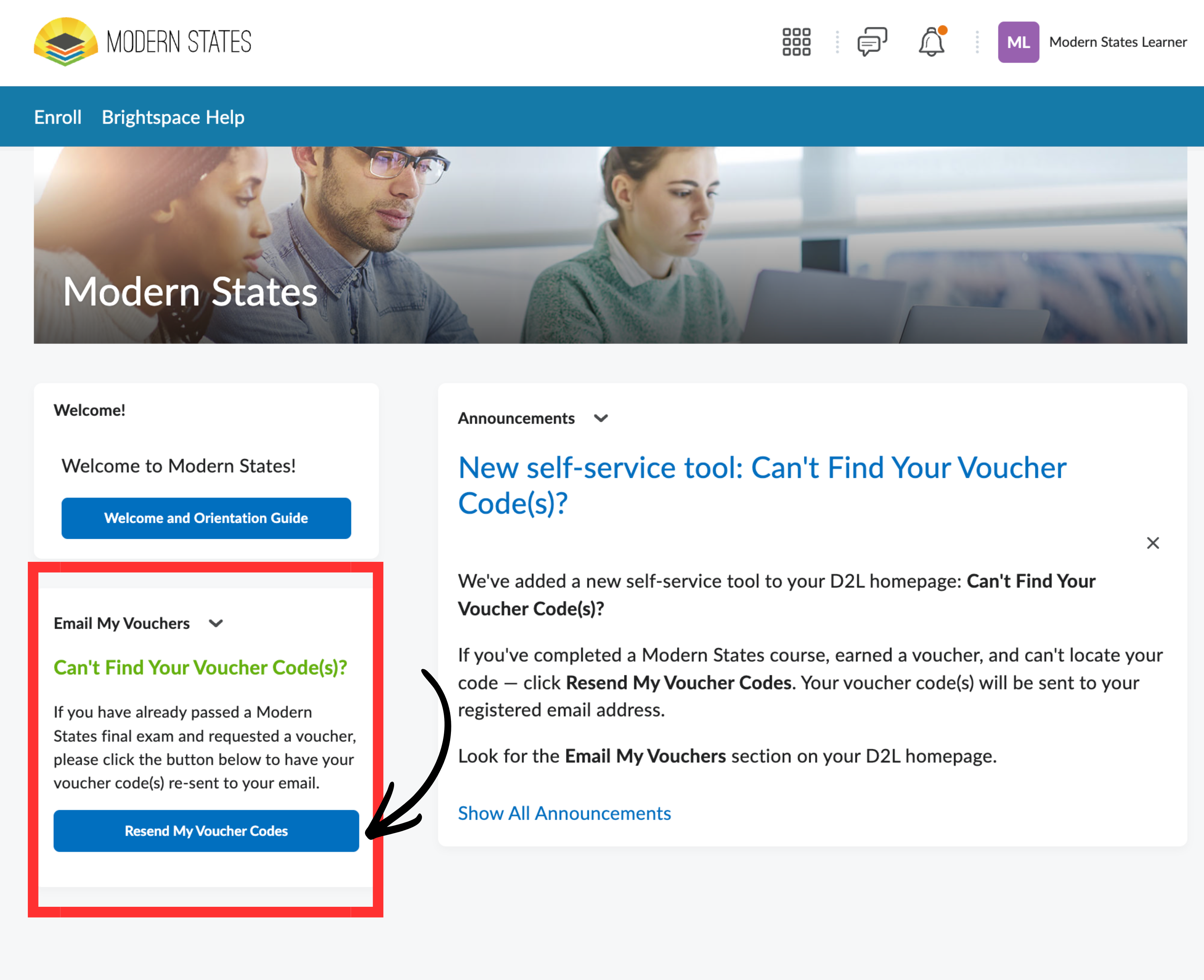
- From your homepage, find the Email My Vouchers section.
- Click Resend My Voucher Codes.
- Check your registered email address for your voucher code(s).
Before submitting a support ticket
Please check all folders in your email account, including Spam, Promotions, Other, or similar filtered inboxes. Voucher code emails may sometimes be filtered by your email provider.
If you receive a “no vouchers found” message
This means our system does not show an available voucher code tied to your account. Common reasons this occurs include:
- You have not yet completed the course requirements, earned 75% or higher on the Modern States final exam, and submitted your CLEP Scholarship or voucher request.
- Your request has not been approved yet. Please allow up to 2 business days after submitting your request.
- You have already used all the voucher codes you earned. Modern States voucher codes are one-time use only.
- You may have registered with more than one Modern States account. Try logging in to your other account and using the Resend My Voucher Codes button there.
Ready to register for your CLEP exam?
Once you have your Modern States voucher code, register for your CLEP exam at clep.collegeboard.org.
Important: Please wait until your CLEP Scholarship or voucher request is approved and you receive your Modern States voucher code before registering for your CLEP exam. If you purchase a CLEP exam before receiving and using your Modern States voucher code, that exam fee is not eligible for reimbursement.
For step-by-step registration guidance, review our help article: How to Register for Your CLEP Exam.
Support and Resources
Click here for our knowledge base
Click here for further assistance
|




Was this article helpful?
That’s Great!
Thank you for your feedback
Sorry! We couldn't be helpful
Thank you for your feedback
Feedback sent
We appreciate your effort and will try to fix the article